Related Posts


About Post Author


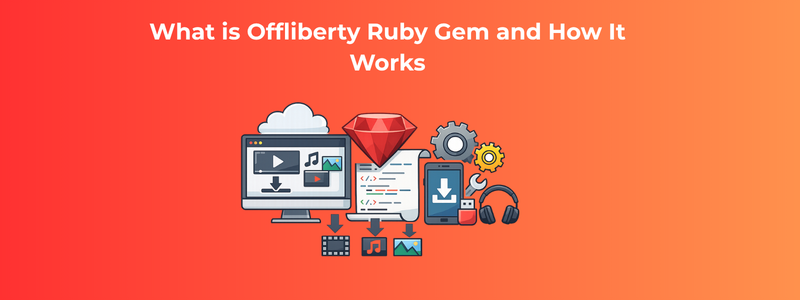
In the world of Ruby development, gems play a crucial role in accelerating application development and simplifying complex tasks. From authentication to payment processing and automation, Ruby gems enable developers to build robust solutions efficiently. One such lesser-known but interesting gem is Offliberty, which is used for fetching downloadable media links from online platforms.
The Offliberty Ruby gem provides a simple interface to interact with the Offliberty service, allowing developers to extract media download links from URLs. This can be particularly useful for automation scripts, content processing workflows, and media management tools.
For companies like RailsCarma, which specialise in Ruby on Rails development and custom software solutions, understanding such gems helps in building scalable and efficient applications tailored to client needs.
In this detailed guide, we will explore:
The Offliberty Ruby gem is a lightweight Ruby library that allows developers to interact with the Offliberty website programmatically.
It acts as a wrapper that:
The main goal of the gem is to:
Before diving into the gem, it’s important to understand the underlying service.
Offliberty is a web-based tool that allows users to:
The Ruby gem essentially automates this process.
The working mechanism of the Offliberty gem involves multiple steps:
The gem sends a request to the Offliberty service with the target media URL.
It uses libraries like:
to simulate browser behaviour.
The gem extracts:
from the response HTML.
Finally, it returns a direct link that can be used to download the media.
The Offliberty gem follows a simple architecture:
This simplicity makes it easy to integrate into Ruby applications.
You can install the gem using:
gem install offliberty
Or add it to your Gemfile:
gem ‘offliberty’
Then run:
bundle install
Here’s a simple usage example:
require ‘offliberty’
client = Offliberty::Client.new
download_link = client.get(“https://example.com/video”)
puts download_link
This script:
Easy-to-use interface for developers.
Minimal dependencies and setup.
Perfect for scripts and background jobs.
Works well with Ruby on Rails applications.
Automate downloading of videos or audio files.
Fetch media content for aggregation.
Extract media for further processing.
Build command-line tools for downloading media.
Use Sidekiq or Resque to process downloads asynchronously.
Rails developers can integrate Offliberty in multiple ways:
Encapsulate logic inside service classes.
Use Sidekiq to handle downloads asynchronously.
Expose media download functionality via APIs.
If Offliberty service changes, the gem may break.
Downloading copyrighted content can raise legal issues.
Not as powerful as modern tools like yt-dlp.
The gem may not be actively maintained.
More advanced and actively maintained.
Popular open-source tool.
Build your own scraper using Nokogiri.
With advancements in AI and APIs:
RailsCarma is a leading Ruby on Rails development company offering:
With deep expertise in Ruby ecosystems, RailsCarma helps businesses leverage tools like Offliberty and beyond to build efficient, production-ready applications.
The Offliberty Ruby gem is a simple yet powerful tool for automating media extraction workflows. While it may not be suitable for large-scale or production-heavy applications, it serves as a useful utility for developers looking to experiment with automation and scraping.
For businesses aiming to build robust Ruby applications, partnering with experts like RailsCarma ensures scalable, secure, and future-ready solutions.
| Cookie | Duration | Description |
|---|---|---|
| cookielawinfo-checkbox-analytics | 11 months | This cookie is set by GDPR Cookie Consent plugin. The cookie is used to store the user consent for the cookies in the category "Analytics". |
| cookielawinfo-checkbox-functional | 11 months | The cookie is set by GDPR cookie consent to record the user consent for the cookies in the category "Functional". |
| cookielawinfo-checkbox-necessary | 11 months | This cookie is set by GDPR Cookie Consent plugin. The cookies is used to store the user consent for the cookies in the category "Necessary". |
| cookielawinfo-checkbox-others | 11 months | This cookie is set by GDPR Cookie Consent plugin. The cookie is used to store the user consent for the cookies in the category "Other. |
| cookielawinfo-checkbox-performance | 11 months | This cookie is set by GDPR Cookie Consent plugin. The cookie is used to store the user consent for the cookies in the category "Performance". |
| viewed_cookie_policy | 11 months | The cookie is set by the GDPR Cookie Consent plugin and is used to store whether or not user has consented to the use of cookies. It does not store any personal data. |
 English English
  Japanese
  German
  French
  Spanish
  Italian
  Swedish English English Japanese
German
French
Spanish
Italian
Swedish
Swedish English English Japanese
German
French
Spanish
Italian
Swedish
WhatsApp us